Free Beginner’s Guide for YouTube Creators
Create Scroll-Stopping YouTube Thumbnails Without Being a Designer
Your thumbnail is often the first thing people see before they ever hear your message. This free guide shows you how to create clearer, stronger, more clickable YouTube thumbnails using simple AI tools like ThumbnailCreator.
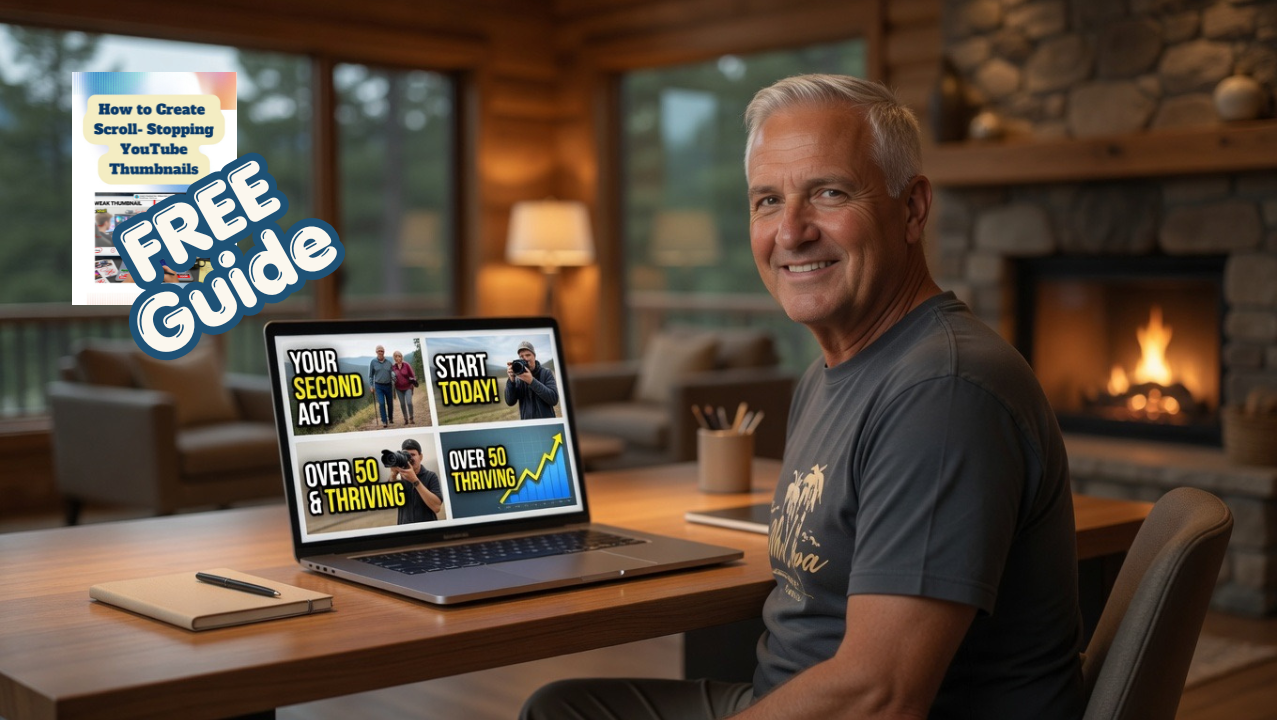
No hype. No design degree needed. Just simple steps to help your videos get noticed.
Are Your YouTube Thumbnails Getting Ignored?
You can spend hours planning, recording, editing, and uploading a video…
Only to have people scroll right past it. That is frustrating.
And here is the truth: sometimes the problem is not your message. Sometimes the problem is that your thumbnail does not clearly show people why they should click.
A good YouTube thumbnail does not have to be fancy. It needs to be clear, readable, emotionally interesting, and easy to understand fast.
That is where AI can help.
What You’ll Learn Inside the Free Guide
How to Create Scroll-Stopping YouTube Thumbnails is a beginner-friendly guide that walks you through the simple pieces of a stronger thumbnail.
Inside, you’ll learn:
How to make your thumbnail easier to understand at a glance
Why short text usually works better than crowded text
How to use emotion, contrast, and curiosity without misleading people
How AI can help you create thumbnail ideas faster
How ThumbnailCreator can help beginners generate, edit, and test thumbnail concepts
What mistakes make thumbnails look confusing or easy to ignore
A simple thumbnail checklist you can use before uploading your next video
This guide is made for creators who want better thumbnails but do not want to spend hours fighting with complicated design tools.
Why I Like Thumbnail Creator for Beginners
Thumbnail Creator is designed to help YouTube creators create thumbnails faster using AI. Its workflow can let users paste a YouTube video URL or describe a video, generate multiple thumbnail options, customize them, and download the finished thumbnail for YouTube.
That matters because many beginners do not struggle because they lack ideas. They struggle because they do not know how to turn their ideas into something visual.
Thumbnail Creator includes tools such as AI thumbnail generation, face swap, style cloning, AI editing, text overlays, background removal, color enhancement, thumbnail analysis, video title generation, trending thumbnail research, YouTube preview, and brand kit features.
That gives beginners a more guided path instead of starting with a blank screen and guessing.
This Free Guide Is For You If…
● You are trying to grow on YouTube but your thumbnails feel plain, crowded, or inconsistent.
● You want your videos to look more professional without hiring a designer.
● You are new to AI tools and want a simple way to start.
● You want to create thumbnails that match your video message instead of chasing random trends.
● You want your videos to have a better chance of standing out in search, suggested videos, and browse feeds.
This is especially helpful if you are building a channel around education, tutorials, online business, affiliate marketing, coaching, reviews, or personal experience.
A Better Thumbnail Usually Has 4 Simple Ingredients
1. Clear Message
People should know what the video is about quickly.
2. Strong Emotion
A face, expression, result, problem, or bold visual can create curiosity.
3. Readable Text
Short words. Big letters. No tiny clutter.
4. Honest Curiosity
The thumbnail should make people want to know more without tricking them. That last part matters.
A thumbnail should attract attention, but it should not mislead people. Clickbait might get a click once. Trust gets people to come back.
You Do Not Need to Be a Graphic Designer
Let’s tell it like it is. Most beginners do not need more complicated software.
They need a simple process. That is what this guide gives you.
You will learn how to think through your thumbnail before you create it, how to use AI to speed up the process, and how to avoid the common beginner mistakes that make thumbnails look confusing.
This is about creating thumbnails that help people understand your video faster. And when people understand faster, they are more likely to click.
Download the Free Guide
Get "How to Create Scroll-Stopping YouTube Thumbnails" and learn how to create better thumbnails with a simple beginner-friendly system.
You’ll also receive helpful beginner-friendly tips on YouTube growth, AI tools, and online business. You can unsubscribe anytime.
Affiliate Disclosure: Some links I share may be affiliate links. That means I may earn a commission if you choose to purchase through my link, at no extra cost to you. I only share tools that I believe can help beginners move forward with more clarity and confidence.
© 2026 | Steve Neifing | All rights reserved.